



Dockteck 7-in-1 USB-C PD Ethernet Hub: Ultimate Connectivity Solution for MacBook Pro M4

- The Challenge of Limited Ports
- Enter the Dockteck 7-in-1 USB-C PD Ethernet Hub
- Real-World Usage Scenarios
- Buying and Usage Tips
- Minor Limitations
- Conclusion
As USB-C technology becomes increasingly ubiquitous, stylish and high-performance devices have become staples of our daily lives. However, the issue of limited port availability has also come to the fore. Whether for working from home, gaming, or managing multiple peripherals simultaneously, the need for expanded connectivity has never been more pressing.
The Dockteck 7-in-1 USB-C PD Ethernet Hub was designed precisely to address this need. Combining a minimalist aesthetic with efficient, practical performance, it fully unlocks the connectivity potential of your devices. Could this be the ultimate solution for users of the MacBook Pro and other USB-C devices?
The Challenge of Limited Ports
For most professionals and content creators, laptops or tablets serve as the central hub for work, entertainment, and daily tasks. Yet when the need arises to connect peripherals—such as external monitors, portable hard drives, mice, or keyboards—the built-in USB-C ports often prove insufficient.
This issue is particularly pronounced with the Apple MacBook Pro M4, a device that boasts immense power but features a compact port layout. Despite being equipped with multiple Thunderbolt 5 ports, the native port count can still fall short during professional workflows involving simultaneous connections to multiple devices. Users often find themselves relying on a clutter of dongles and adapters to establish a complete workspace.
Enter the Dockteck 7-in-1 USB-C PD Ethernet Hub
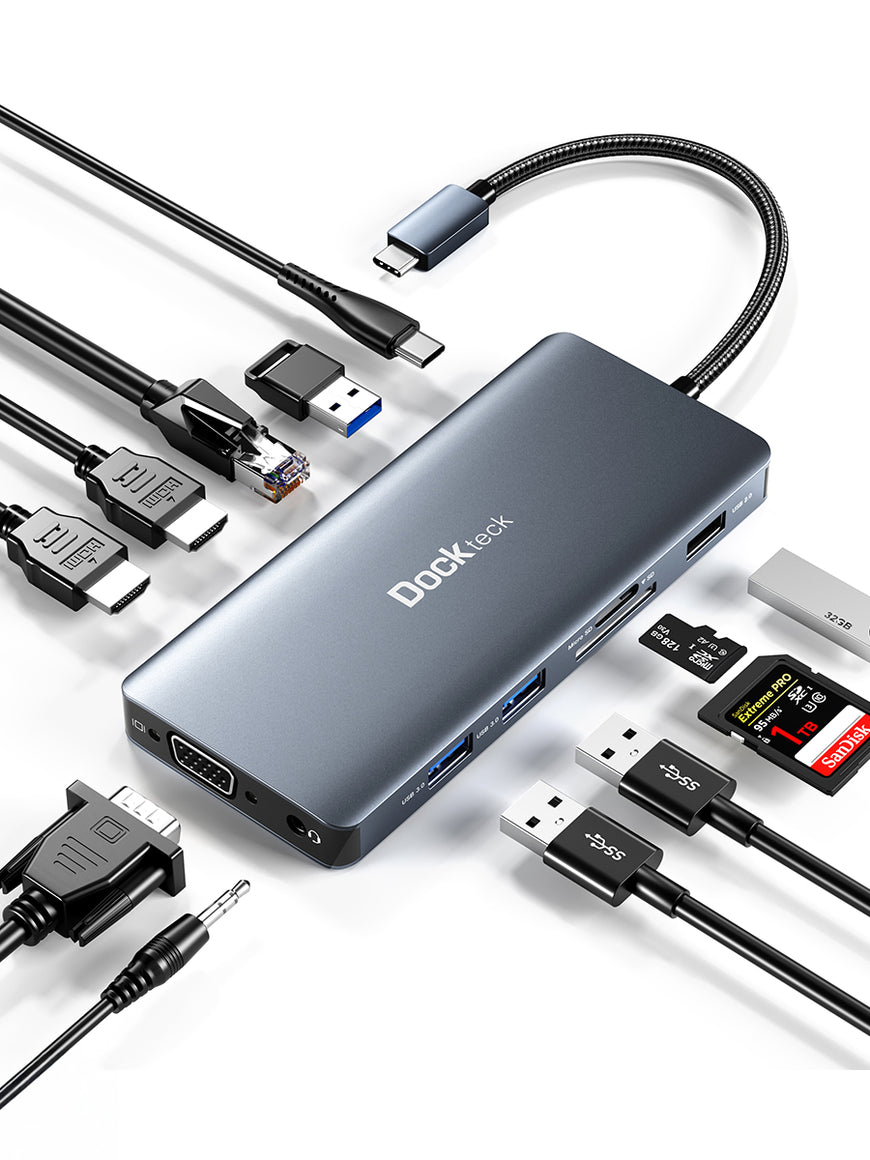
This is where the Dockteck 7-in-1 USB-C PD Ethernet Hub truly shines. By integrating seven different ports into a single unit, it allows users to easily connect all their peripherals without the need for a stack of adapters.
Key Ports and Features:
- Ethernet port: Ensures a stable, high-speed network connection—ideal for gamers and remote workers—even when Wi-Fi signals are weak.
- Two USB-A ports: Offer seamless compatibility with legacy peripherals like flash drives and printers.
- USB-C port: Supports Power Delivery (PD) pass-through charging, allowing the laptop to be powered while the hub is in use.
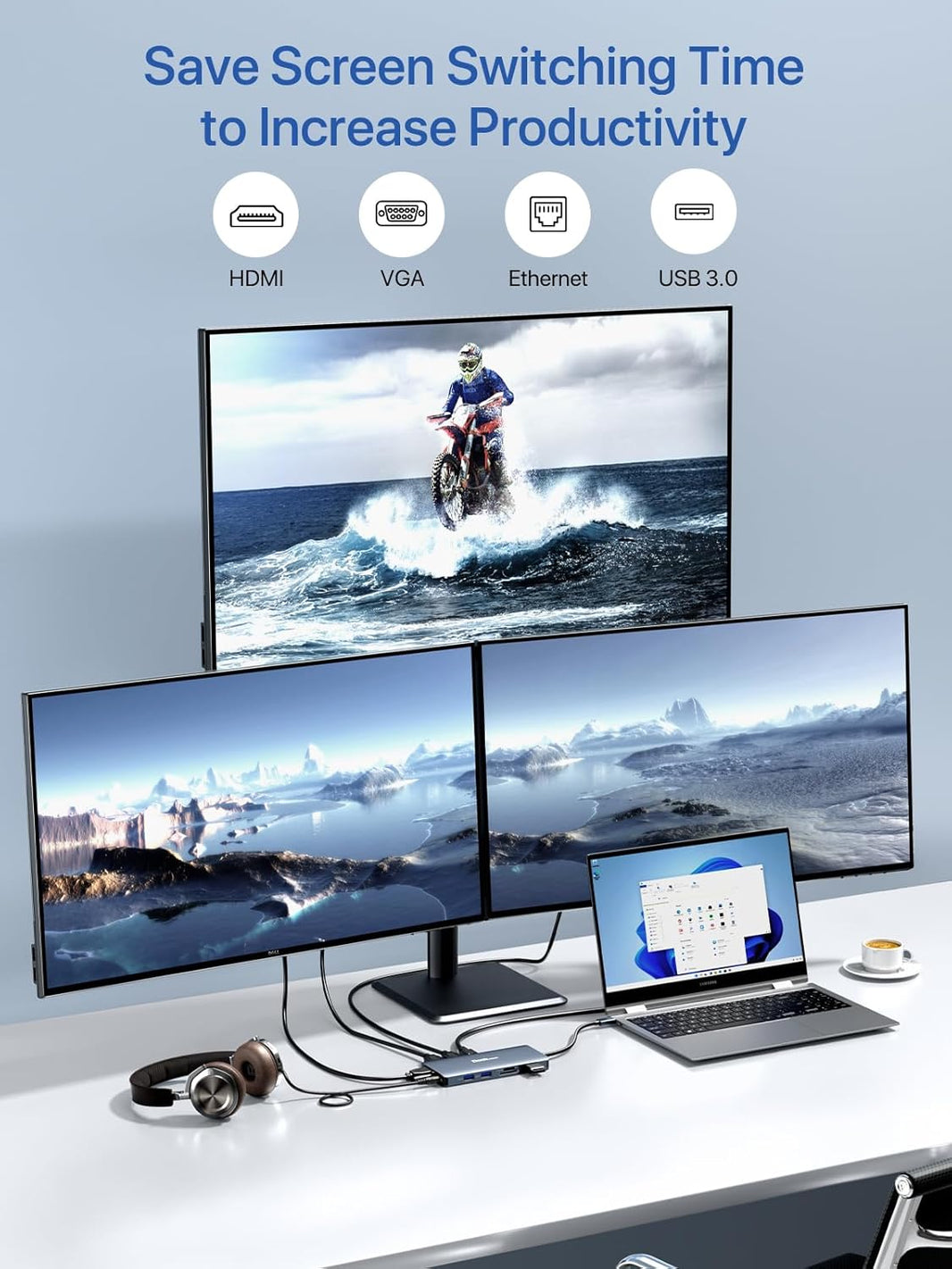
- HDMI port: Supports 4K @ 60Hz output, making it easy to connect external monitors and boost both productivity and the viewing experience.
- SD and MicroSD card slots: Provide photographers and media professionals with the ability to quickly import their footage and files.
With these features, the Dockteck hub can instantly transform a MacBook Pro M4—or any other USB-C compatible device—into a fully functional workstation.
Real-World Usage Scenarios
For remote work, the Dockteck hub allows you to connect a keyboard, mouse, external hard drive, and 4K monitor with a single plug-in, while the PD port keeps your MacBook powered for all-day productivity.
When setting up a gaming station, the Ethernet port eliminates Wi-Fi latency, the HDMI port connects directly to a monitor or TV, and extra USB-A ports accommodate game controllers or external storage.
In creative workflows, SD/MicroSD slots enable high-speed file transfers, while USB-C PD pass-through charging ensures your laptop stays powered during lengthy rendering or editing sessions.
Buying and Usage Tips
- 4K @ 60Hz HDMI output depends on the DisplayPort Alt Mode version supported by your laptop's USB-C port. The MacBook Pro M4 natively supports DP 2.1, ensuring seamless performance. Windows users should verify port specifications beforehand to avoid misinterpreting potential performance bottlenecks.
- Actual Gigabit Ethernet speeds typically range from 800 to 950 Mbps. For optimal performance, use a Cat6 (or higher) shielded Ethernet cable and keep drivers updated.
- When multiple devices are connected simultaneously, the main controller chip dynamically allocates bandwidth, prioritizing video output. This is standard behavior for the USB protocol stack, not a product defect.
Minor Limitations
The Dockteck hub's performance ceiling is determined by the specifications of the connected laptop's USB-C port. While this is rarely an issue for high-performance devices like the MacBook Pro M4, overall performance may be limited when paired with slower USB-C devices.
If high-power peripherals are connected to all ports simultaneously, power allocation may become strained, potentially leading to a slight drop in performance for certain functions. Therefore, using high-load devices on every port at once is not recommended.
Conclusion
For users of devices with limited ports—such as the MacBook Pro M4—the Dockteck 7-in-1 USB-C PD Ethernet Hub is a highly practical accessory. Integrating high-speed data transfer, 4K video output, stable wired networking, and PD pass-through charging into a single unit, it is an ideal choice for those looking to upgrade their connectivity experience with a compact device.
If you are seeking an all-in-one solution that meets diverse connectivity needs, the Dockteck hub is certainly worth considering. With its excellent balance of practicality, high performance, and portability, it may well be the ultimate solution to the connectivity bottlenecks of your USB-C devices.